
Suitable project management software is indispensable today. This is true whether you work in a digital agency or in a production company with an international reach. The complexity of today’s projects does not allow processing without supporting software.
If you are new to the topic, the flood of possibilities in this area can quickly overwhelm you. This page will give you a general overview of the topic of project management software (or project management tool):

Definitions project management
First of all, you need a few basics to grasp the topic of project management as a whole. Here are the most important definitions:
What is a project?
Depending on the standard, projects can be defined differently. Essentially, it always revolves around the following points:
- Goals
There is a target specification with a good definition of the goals according to the SMART method. - Complexity
The project is so complex that it requires additional oversight by a project management team. - Completed in time
There is a time limit and therefore a limitation on the project. - New and innovative
The project is new, innovative, and has not been implemented in this form before. - Organization and Scale
The project is so large that it requires its own organization and project planning.
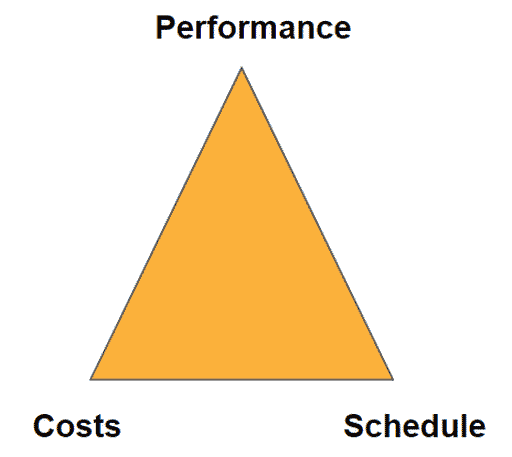
The basic rule for projects is that deliverables, costs and deadlines must be met simultaneously. The magic triangle of project management illustrates this visually.
For more and detailed information, please refer to the following links:
- DIN 69901 German industry standard on project management
- ICB 4.0 Standard of the Association for Project Management
- Prince2 Project Management Methodology
What is classic project management and agile project management?
A project can be divided into different phases from start to finish. It is noticeable that classic project management is always involved as a structure-giving organizational unit.

- Initiation
The project idea is conceived, analyzed, and evaluated, and the project is approved for implementation. During this phase, the project management methodology and project management software are often selected. - Definition
Clarifying and defining project goals and milestones sets the course for the project’s future progress and success. - Planning
In traditional project management, project planning involves defining the entire execution process in advance. In agile project management methods, planning may allow for more flexibility in order to respond more quickly. - steering
During the active project phase, project management must ensure adherence to costs, objectives, and deadlines. Good software can significantly simplify this process. - Diploma
Upon acceptance of the project, a review and retrospective is conducted to learn for future projects.
In contrast, agile project management relies more on an iterative and incremental approach. It is based on a vision for the product and its goals that still allows room for change. A project is divided into time-based stages, and at the end of each stage, a functional interim product is delivered. Based on feedback from clients and customers, the product can be improved in the next stage.
In agile project management, detailed project planning thus takes a back seat, and collaboration becomes more important. This often raises the question of which tools can facilitate improved collaboration.
Nowadays, the dividing line between project management methods should not be set too strongly. Every project manager should have basic knowledge in both methodologies. The totality is of classic and agile is the target.
The use of project management software and helpful tools can significantly simplify projects—whether they follow traditional project management approaches or agile methods such as Scrum or Kanban. There are suitable tools for every use case (e.g., Scrum software or Kanban software). This also applies to hybrid project management, which combines traditional and agile methods.
What is project management software?
There is no protected definition for the term project management software or the synonym project management tool.
Project management software in the classic sensesupports project managers, executives and the project team in the execution of projects in all project phases from initiation to completion. In agile projects, support should also be provided across all iterations and facilitate collaboration.
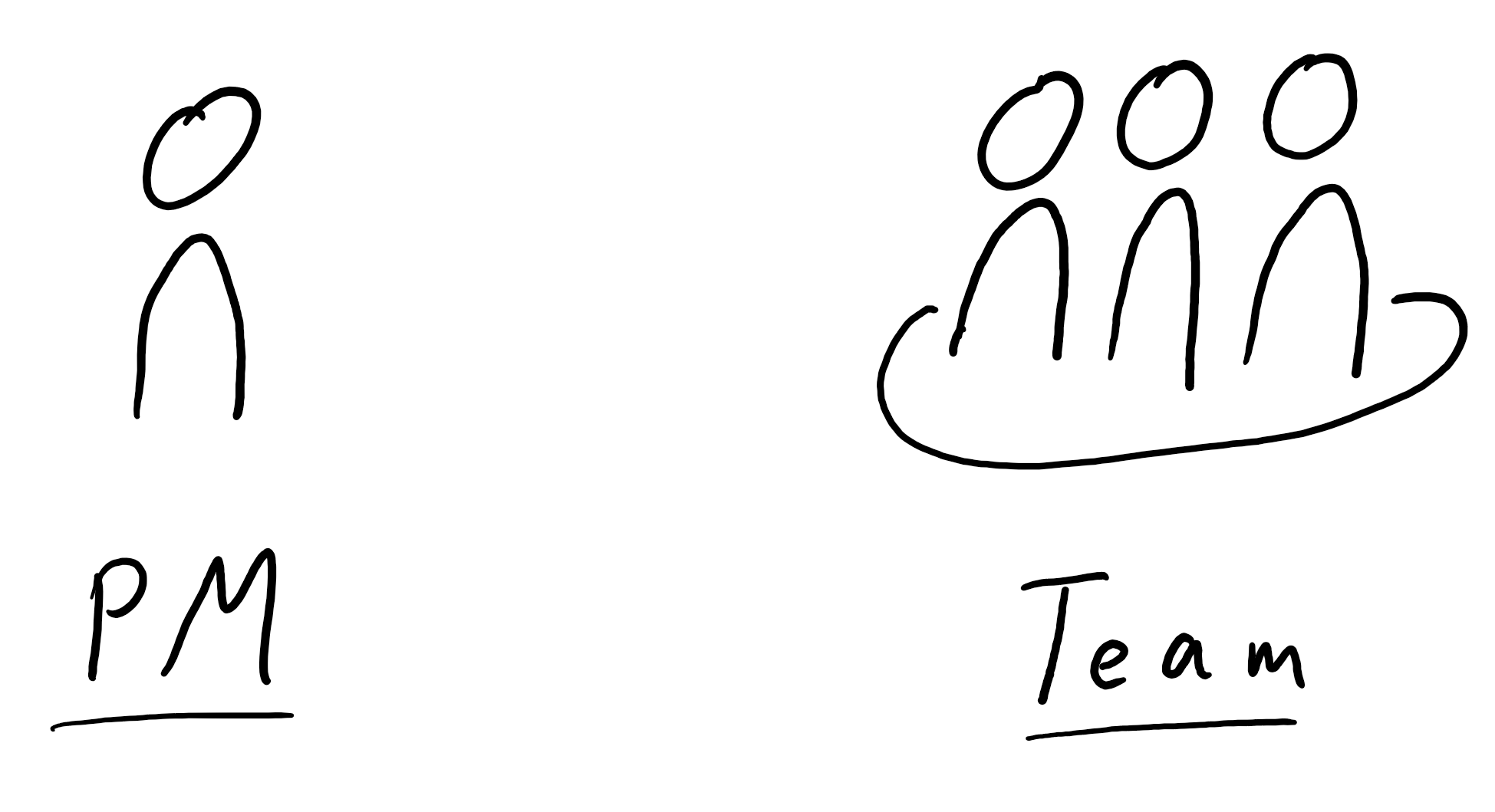
There are two groups of tools for different user groups.
Software for project managers and executives designed for project management tasks:
- Project planning
- Project control
- Resource planning
- Project controlling
- Multi-project management
- …
Software for the entire project team that enables improved collaboration:
- Visualizations (Kanban boards)
- Task Management (more about this also in this article)
- Simplified collaboration (chat, comment function, joint editing of tasks)
In addition to these groups, there is all-in-one softwarethat are marketed as comprehensive solutions and aim to cover all aspects. Such a solution can be successful. However, usability and user-friendliness may suffer due to the wide range of features. As a result, standalone solutions that focus on specific areas are becoming increasingly attractive.
 Loading ...
What must a project management software be able to do?
Here is an overview of the possible areas of application, functionalities and features of a software for project management.
Project planning
Project planning is often considered one of the core areas of the project manager. The following features are therefore very often part of a supporting software and are very complementary to each other, especially when it comes to updating during the project.
- Managing General Project Data
What is the project about? Who is involved in the project? By when must the project be completed? This and other project data can be entered to provide a quick overview of the project. - Project structure plan
In traditional project management, the work breakdown structure (WBS) is considered the core element of a project. Creating it with spreadsheets or Word is time-consuming, while a suitable program significantly reduces the effort required for updates. - Milestone planning
The milestone plan is the basis for assessing the project status at specific points in time with regard to goals, costs, and deadlines. Updating the data during the project is very time-consuming, which is why a software solution makes sense. - Bar chart or “What is a Gantt chart?“
This type of visualization clearly illustrates the various project phases and is often used as the basis for presentations. Creating and maintaining it manually can still work well for small projects using presentation software, but it quickly becomes a time-consuming task for larger projects. - Task Management
Task management shows the project manager and team which tasks still need to be completed and what their current status is. Task management forms the basis for the network diagram and thus also for the project timeline and resource planning. Effort and costs for individual tasks can be entered.What is Task Management? The detailed answer is available here. ) - Network diagram
Creating a network diagram—the optimal chronological sequence of all work packages and tasks in a project—by hand without a supporting tool is practically impossible, even for smaller projects. Especially in traditional project management, such as construction projects and large-scale projects, a network diagram is essential for maintaining an overview of the timeline and ensuring successful project planning.
Read more about project planner software here at the background information.
Communication and collaboration
Tools and software solutions in the area of communication and for project team collaboration are becoming increasingly important and also popular. Especially in agile projects, collaboration is clearly emphasized over processes (see also agile manifesto). Due to the proximity to software development, there are many solutions especially in this area.
- Visualization Using Virtual Boards (Kanban, Workflow Visualization, Processes)
Visualizing and providing an overview of tasks and assignments for the project team is often a central part of daily project work. This can take the form of a Kanban board or a process-based visualization of individual tasks. - Individual dashboard for project team members
Each project team member has their own dashboard where they can view their project tasks. Right at the start of the day, they can see which tasks are still open and when they are due. This feature is often included in task management software and helps the entire team maintain an overview of their tasks. - Simplifying Project Communication Through Task-Based Approaches
Comments in tasks, documenting results, and asking questions of other team members are common ways to simplify communication within a project. - General Team Communication
In addition to standard email, additional, user-friendly communication channels are designed to facilitate collaboration. Some software includes a built-in chat feature and allows for notifications triggered by events such as comments on your own tasks or when a task is completed. Video conferencing and integration with Office applications for streamlined collaboration also improve communication within the team.
Requirements management and the task list
Requirements are the basis for the target definition in the project.
- Improved Overview of Objectives
Programs designed to manage these requirements provide a clear overview of the objectives. - Change tracking
Changes to requirements during the initial phase and throughout the project are tracked through versioning. Traceability enables the impact of changes, making them quickly visible. The use of such features is particularly beneficial in regulated industries. Simple alternatives include Excel spreadsheets or Word documents.
You can read more about requirements management tools here in the background information.
Resource planning
Continuous consideration and planning of resources is necessary for the project manager and to achieve deadlines within the maximum cost.
- Availability
What resources are available within the project and which are available to the entire team and company? Resources include not only personnel, but also machinery, equipment, and facilities. - Assigning Tasks
Who does what, and by when? A useful feature is the ability to visualize individual task packages using a Gantt chart as a simple timeline for each work package. In larger projects, it makes more sense to group them into subprojects and view them by team. - Time Tracking and Cost Management
Time tracking is actually a topic for project controlling, but it also makes sense to consider this feature in resource management. - Capacity overview and forecast
How busy is the project team, and how busy will it be in the foreseeable future? A forecast allows for the quick identification of overload situations and the ability to react accordingly.
Read more about resource planning software here at the background information.
Project controlling
Control of project progress, costs and timeline must be possible at all times in the project in order to be able to take countermeasures if necessary. This point in particular is difficult to implement manually and should be automated in the best possible way through frequent recalculation. Getting a good overview of the current status in the project quickly is often a difficult challenge in unstructured projects, here software can support.
- Initial Effort Tracking
As part of project planning, this serves as the foundation for further project monitoring. - Monitoring project progress
Progress in terms of content, time, and money can be tracked through completed tasks, recorded working hours, and defined milestones. Possible solutions include key performance indicators (KPIs) for progress and a forecast that projects future results. - Reporting
A useful feature is the ability to generate reports via an export function in the form of a PDF or a presentation. Unfortunately, manual reporting is still common in projects and takes a lot of time. A great feature is the ability to send the report (to stakeholders) without having to edit it first.
Read more about project controlling software or time tracking software in project management
Document Management
Documentation can have more or less importance in the project. If you look at projects in regulated industries, document management systems become essential. Even in the unregulated area of a software development, the customer would like to receive a user manual or guidance and there are contract documents for the project as well.
- Knowledge Management and Data Storage
In large projects, it makes sense to set up your own platform for knowledge transfer (your own wiki). You can also link your own cloud storage or integrate external storage services (Google Drive, Dropbox, OneDrive) with project management software. - Management, Version Control, and Access Control
For regulated industries, user management, document version control, and access control are extremely important. Even simple contract documents may not be intended for everyone to see, or a customer may be granted access to specific documents. - Search Function and Archiving
Outdated documents must still be preserved. Even after a project ends, these documents still serve a purpose—for example, to help future projects learn from past experiences. For this reason, search functions and archiving options are often available.
You can read more about document management software here in the background information.
Multi-project management
The topics of multi-project management and project portfolio management become interesting from the point of view of the management, the program management or even a department management.
- Overview of all projects in multiproject management
Managing projects from a higher level to simplify the oversight of multiple projects is particularly important for corporate strategic planning. - Project Portfolio Management
Even as a project manager, it can be important to maintain a good overview of projects running in parallel and to prioritize them relative to one another. In the agency business, there are often many small projects or subprojects that need to be planned and managed with limited resources.
Read more about multi-project management software here at the background information.
“Basic” support software
Office Tools
Besides larger project management tools and software solutions, there is also the possibility to use simple office tools.
- Word processing
Programs like Microsoft Word help with creating documents and can even be integrated with document management systems if needed. Freeware can also be a great option here if you’re a small business that doesn’t yet have the budget or doesn’t want to pay for a license. - tables
Using simple spreadsheets is fundamental to project management when no other software is available. This applies to tasks such as gathering requirements or calculating current budget usage. A look at Microsoft Excel templates reveals many helpful tools (including project planning tools) that can assist with smaller projects. - presentation
Essential are programs for presenting content effectively and clearly, whether at project kickoff or when reporting to management and the customer.
By the way:
Another good free option is using the online versions of Microsoft Office. These now offer a basic set of features that is sufficient for most simple documents, spreadsheets, or presentations. As an alternative, there’s also Google, which offers a simple version for creating documents, spreadsheets, and presentations.
- Data Management
Larger datasets require more comprehensive data management than a spreadsheet can provide. Database software can be a great help in this regard.
Communications programs
There are integrated communication programs in overall solutions to support project management, but there are also separate programs that can be integrated into project management software via interfaces.
- Email, Chat, and Video Calls
A common integration is the chat feature, which helps improve collaboration among team members. Conference services also facilitate collaboration.
Software for creativity techniques
Support tools are also used during meetings. For example, during brainstorming sessions, a brainstorming software help document the ideas and solutions generated and convert them directly into tasks.
Special programs for specific industries or partial aspects
In addition to the most common features, there are also special programs for individual aspects of project management. Examples are the following
- Quality management
- Risk Management
- Process optimization
- Scrum software for mapping sprints and backlog
- ToDo list app to increase productivity like Todoist
When do you need project management software?
On the question whether a software for the project management is worthwhile one must make oneself clear the following: Project management without software is possible in principle and is also often used in project management seminars to learn project management methodology. You work a lot with flip charts, pin boards and post-its to visualize the project goals. What is still possible for a small project becomes much more tedious as the complexity and size of the project increases. IT now offers significant advantages to the project manager and the project team, but perhaps a few disadvantages as well:
Advantages of project management software:
- The organization of the project is centralized possible
- It gives an overall view of the project in real time on the most important key figures (keyword magic triangle of performance, costs and deadlines.
- By using a software, one has a high time saving during the project implementation. Especially recurring tasks like project controlling are simplified.
- Results-oriented work is improved by the transparency of tasks.
- Company goals are achieved more quickly through projects
Disadvantages due to support with project management tools
- Familiarization time, especially more complex software requires a not negligible familiarization time
- The introduction and selection of a suitable solution takes time
- The project team must accept the software and not see it as an obstacle
- A project management software costs money in most cases
Who should implement and use project management software?
Overall, the introduction of supporting software is worthwhile for most companies in any case. The only question that remains is what kind of software it should be and where the main support should be.
- For larger projects and highly dependent projects, just communicating with everyone involved is so difficult that you need an additional collaboration platform to email.
- For complex projects and for very large projects, it is worthwhile to implement a complete solution that covers all aspects of the above-mentioned features as far as possible.
- For small projects, simple solutions are easy (spreadsheet, Word, email and presentation), but introducing a small collaboration platform and task management with visualization boards simplifies the project here as well.
- For several small projects, the overall view of all projects makes sense (multi-project management).
How is project management software evaluated?
Once you have defined the core functions for yourself and know what the main functions of a project management software should be (see above), it is time to test the shortlist. But before testing with the installation of certain products in test environments, one should take a look at other evaluation criteria. If you already notice an exclusion criterion here, you save yourself the time of testing. Possible criteria are:
Features and functionality
- The most important features depend very much on the use case and directly limit the selection of possible solutions.
- A high number of features often compete directly with ease of use. “If you only want to use a word processor, you’ll quickly be overwhelmed with a document management system and won’t need it.”
- Is there any flexibility in the features?
This can be done by optionally adding functions according to the modular principle or by different equipment packages (enterprise vs. free use). - It is also conceivable to adjust the adaptation of processes to new project structures?
Every project is different…
User interface and ease of use
User interface
- Is the interface appealing or already very outdated and reminiscent of older versions of Windows?
- Are there visualization options in the software through list view, Kanban boards, Gantt charts or project plans?
- Is the software kept clear overall, or do you need a long time to find your way around?
User-friendliness
- How user-friendly is the software? Does usage present a barrier to entry for the team? Is there a simplified interface for the team while the project manager or administrator takes care of the complex operations?
- Especially in larger projects, new team members are not uncommon. A training period of 2-3 weeks is not sustainable in every project.
- Is there a mobile app as an add-on to improve teamwork?
Hosting and support by vendor
Accessibility and stability of the project management software
- If the software runs on the company’s own server, internal IT is responsible for its operation. If the software is hosted in the cloud by the provider (SaaS), hopefully service hours and software maintenance contracts can be used to define accessibility. Cloud hosting is also referred to as web-based project management software.
- How stable is the software? Nothing is worse than software that does not run reliably.
- Are there long waiting times when running the software due to large amounts of data in the project?
Support from the manufacturer (customer service) in case of problems
- In which language is support provided?
- Is there a personal customer service?
- Is the service then chargeable and does one need a service contract?
- What about accessibility and at what times is a contact person available and how (phone, chat or only email) ?
- How successful is the software? Are there already external tutorials from users? This is rarely seen with a small software.
- Otherwise, does the manufacturer itself deliver information, tutorials, training or web content for the users of the software?
By the way,
: Even when a manufacturer provides little information, there is external support available for every piece of software. You can find the most important consultants in the series of articles on the top experts.
Datenschutz
- DSGVO and BDSG compatibility are important issues today and can quickly lead to the exclusion of certain solutions.
- Es macht Sinn den Serverstandort zu prüfen (EU, USA oder ein Land mit zweifelhaften Datenschutzbestimmungen)
- Which encryption standard is used for the transmission?
Mehr Informationen zu DSGVO und Datenschutz in Cloud-Software
Price structure
- What is the pricing of the provider?
There is the one-time payment with service contract for updates in contrast to using a software in the cloud with monthly payment. Also, the price can be staggered according to installation or number of users. Many providers also offer different scopes of functions at different prices, starting with a free version. - Costs for Implementing the Software
Implementing software also involves costs in addition to the license fees. The vendor may offer employee training for a fee. If you have identified key users, you can have only them trained and then use them as trainers for the rest of your team.
More about costs in project management software can be found here in the knowledge area.
Further criteria
Integration
- Which export functions are integrated?
The possibilities range from simple PDF export to CSV and synchronization with existing programs such as Outlook, Google, etc. - Is there an API to extract specific data for your own internal programs?
Individual requirement by the customer
- Are there external requirements by a customer in the project?
This can be the existing software for collaboration or even the software of the customer.
Language variants
- Is the software available in different languages?
Even though English is widely used as a world language, a country specific version of a software can be important for some applications.
Possibility to test for selection?
- Very important before signing a long-term contract is testing the software with a user group of your own employees. This is what most providers offer. Alternatively, a demo can be done by a representative, but this may lack the proper insight into user experience.
Which project management software do you need? – A guide
What are the reasons for introducing and using such software?
The starting point for the introduction of software for project management is provided by this guide. In 7 steps you work your way to finding a suitable solution. Initial you should consider what you actually need and for what purpose.

Step 1 – What is the initial situation?
Excel can be sufficient for micro projects or very simple tasks, task management supports the startup or the self-employed and a company with 10 simple projects is again different from complex construction projects with the need of a good project planning…
Is project management already established in the company or not?
Here it makes sense to first solidify the topic of project management, so that employees and the team are more likely to accept the change that software brings.
Should the software be used for agile or classic procedures?
An important distinction also for the range of functions. Software for classic project management is initially often written for the planning and management of the project. The project manager or project management office is seen as the user. Project management software for agile process methodology, on the other hand, focuses, like the agile methodology itself, on team collaboration and creates a framework for the project. Users here are everyone in the project team and, if applicable, also the stakeholders.
For which area is the software to be introduced?
Should the software be introduced for the entire company or only for one department working on a new project?
How many projects do you have coming up in the future?
Should the software be implemented for a one-time project or should it enable an overview of a large number of projects in multi-project management. When many projects are started, you need to pay more attention to the ease of implementation of the software or the quick start of new projects.
What is the main problem that the software is supposed to solve?
- The transparent presentation of tasks with smaller teams?
- The project planning of large and complex projects?
- The project planning and the work of the teams in the projects should be covered (all-in-one solution)
Step 2 – Who is the user and what features should the software have?
Requirements gathering for future software can take some time, depending on the problem, and it should. You can refer to the overview of possible features (see here).
MUST features
These features must be included in any case for the software to be suitable for the given use case. These MUST functions are thus also directly considered as exclusion criteria for certain solutions if coverage cannot be enabled.
SHOULD features
The SHOULD features are good to have and probably bring relief. But the existing solutions in the company or project are currently sufficient, so more costs, a longer implementation period of the software and possibly worse user-friendliness due to more functions are assumed.
For how many users should the software be?
The number of users directly influences the price for most providers. In addition, the introduction of software is much more time-consuming for many users and also requires training of the employees in the team. For software that is not only for project managers, you also need user management and access rights.
Step 3 – Specific requirements and constraints
When introducing software, there are always a few boundary conditions to consider in addition to the project business, but these do not have to have anything to do directly with the functional scope of the software.
Are there certain technical details that need to be considered?
Integration with existing IT infrastructure can become an issue. Alternatively, a large part is also offered from the cloud as web-based project management software (SaaS), but this can cause a problem with data protection issues for some companies if the server is not located in the EU. Programs used in-house can also favor certain solutions if there are suitable interfaces for them and you don’t have to change over.
How much money can the project management software cost?
- Is there a maximum budget per year and user?
- Is it possible to gain more budget via the savings from using the software, or to influence the price by contracting directly with a vendor when placing a larger and long-term order?
- There is also software available as freeware, which can be sufficient for small businesses and self-employed people.
Further reading:
An overview of the costs of project management software.
Step 4 – The longlist
Create an initial list of possible tools by researching vendors
There are many comparisons available online when you’re looking for new software. These will definitely give you an initial overview of the topic. Once you’ve already covered the key points—from the current situation to use cases and potential limitations—you’ll be able to navigate the process much more easily.
The goal now is to narrow down the options by eliminating unsuitable products. You should examine and compare the resulting list of suitable products in detail. This list may still be quite extensive and will likely include 10 or more solutions.
Step 5 – The shortlist
Limitation of the longlist to a few (3 to 6) software solutions
By conducting a more in-depth analysis of the long list and comparing it once again with your current situation and the application scenario, you can identify a short list of a few products. The products on this short list should now meet all previously defined target requirements and, ideally, also take your internal conditions into account.
Additional criteria can be helpful when evaluating project management software. A more comprehensive list of possible criteria can be found here.
Step 6 – Testing
Once the shortlist of 3 to 6 products has been created, the next step is to test the individual products. Most products can be used free of charge within certain periods of time or tested in coordination with the manufacturer. In addition to the feature set, the following aspects should also be checked:
User friendliness
- Can the employees work with the software?
- Is the editing intuitive and even fun, or are the chosen testers cursing about the software?
Implementation effort
Installing and training employees costs time and money. Setting up user accounts and setting up the project is also not without effort. If your own services are connected, you have to approach the existing IT.
By the way,
: External consultants can help with software implementation and offer a different perspective on the situation within the company. The article series “Top Experts for Project Management Software” introduces the leading consultants for specific tools.
Step 7 – Obtain offers and decide
After testing the shortlist, you’ve identified a selection of a few software solutions and can request quotes from the vendors. If the testing didn’t yield a solution, you’ll need to revisit the longlist and, if necessary, expand it or reassess certain software requirements.
Once a software decision has been made, the next step is implementation within the company or project. It’s best to identify specific key users who will champion the software internally and serve as points of contact for the team. Providing additional training for these key users on how to use the software can prevent initial frustration within the team and accelerate productivity after implementation.
What project management tools are available?
There are a lot of project management tools available today, so you are spoiled for choice. Here at pm-tools.info we present a wide selection of tools in great detail in various reviews:
- asana
- awork
- Confluence
- factro
- InLoox now!
- MeisterTask
- Monday.com
- MS Project for the Web
- Stackfield
- Trello
- Wrike
Conclusion
Choosing the right project management software is not done in 5 minutes. First of all, you need to know what exactly you need the software for. If you put some thought into using a software, you will find the right solution. Alternatively, direct consultation with project management software expertswill help you.
Do you value consulting or do you want to implement the project management software yourself?
This post is also available on:
 Deutsch
